> For the complete documentation index, see [llms.txt](https://docs.echo3d.com/llms.txt). Markdown versions of documentation pages are available by appending `.md` to page URLs; this page is available as [Markdown](https://docs.echo3d.com/web-console/manage-pages/content-page/metadata-and-tags.md).
# Metadata & Tags
Add metadata, tags, and additional files to an asset.
## Metadata
You can add **keys** and **values** to be associated with the asset.
You can add **any key or value** by typing it in**.** Built-in metadata keys will be suggested.
## Tags
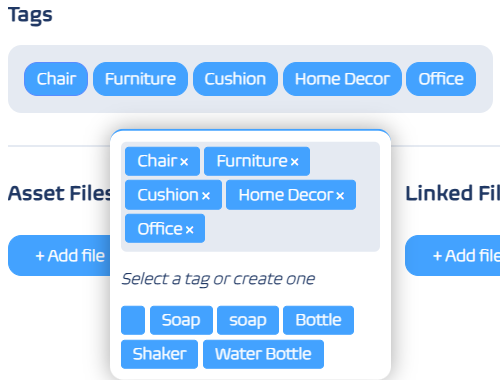
You can add **tags** to be associated with the asset.
You can add **any tag** by typing it in**.** Previously used tags will be suggested.
## Asset Flies
You can view and add **asset files**, such as textures and materials, that are associated with the asset.
{% embed url="" %}
## Linked Files
You can view and add **linked files**, such as text files or PDFs, that are associated with the asset.
## Linked Text
You can add **any text** to be associated with the asset.
{% embed url="" %}